
Localization
Intermediate Last updated Jul 9, 2026
On this page
Localization is built into the pipeline, not bolted on: each language gets its own text, voice-over and lip-sync animation, produced by the same build.
How it’s organized
- Author quests in one source language (the quest’s
source_culture, e.g.en). - Translations are CSV sidecars (
Loc/<Quest>.<culture>.csv) keyed by the stable line ids. Untranslated keys fall back to the source text; the source file is never overwritten. - The cultures your project builds are listed in Project Settings → Plugins → Questwright Studio → Build Cultures (the Localization tab manages this for you).
The Localization tab
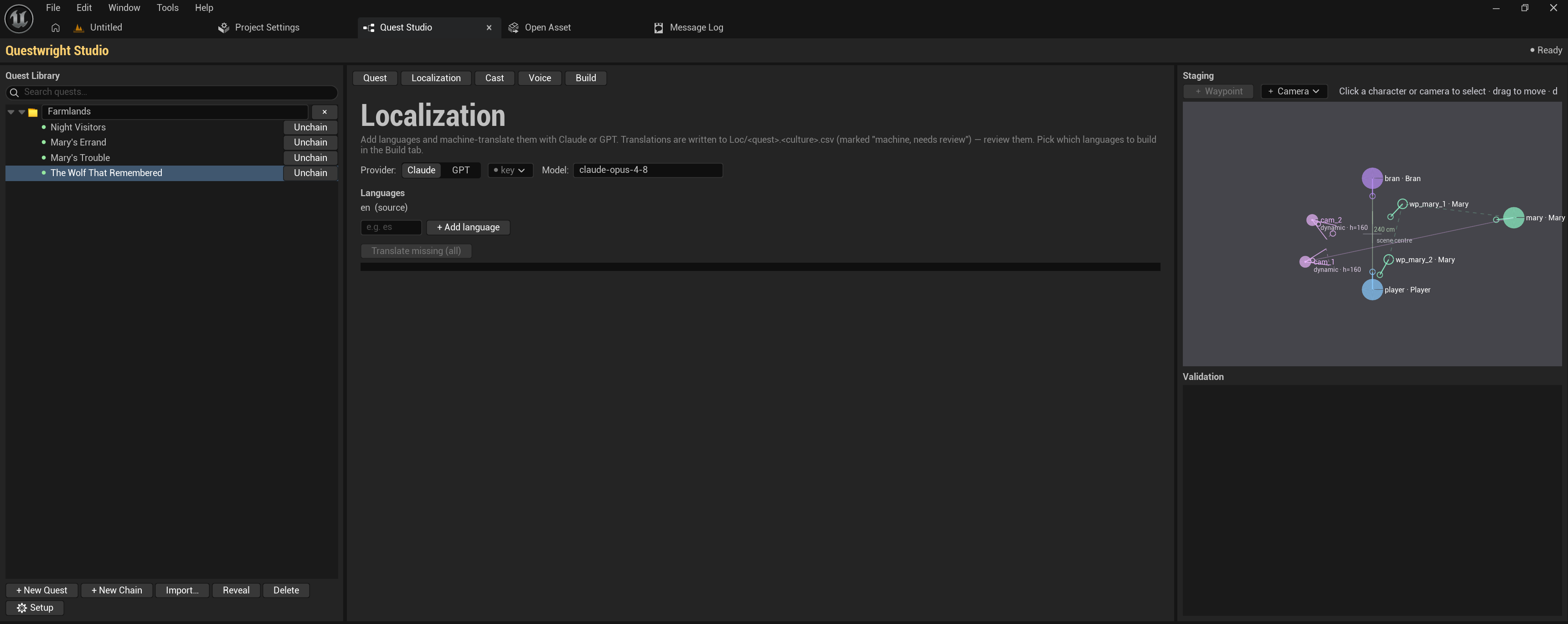
Add languages, see per-quest translation coverage, and machine-translate missing lines with your own Claude or OpenAI key. Machine results are marked “machine, needs review” so a human pass is easy to track. Keys are stored per-user (never in the repo), same as voice keys.
Building languages
The Build tab has a checkbox per culture. Each built language gets:
- its own String Tables (dialogue, choices, journal text);
- its own voice-over, using the per-language voice cast from the Voice tab;
- its own lip-sync bake from that language’s audio.
Per-culture assets live under /L10N/<culture>/ and are swapped by the engine’s own
localization system.
The one caveat: PIE vs packaged
Unreal applies per-culture asset swapping (audio, face animation) only in packaged/cooked builds; in PIE you always hear the source-culture voice. Text localization works everywhere, including PIE. This is engine behavior, not a setting to fix; test localized VO in a packaged build.
Dynamic text and localization
{PlayerName} and custom {Token} placeholders survive translation. Substitution happens at
display time via FText::Format, so translators can reorder tokens freely within a sentence.