
Settings reference
Beginner Last updated Jul 9, 2026
On this page
Questwright registers three pages under Project Settings → Plugins. All of them are
project-level (DefaultGame.ini), shared with your team through version control, with one
deliberate exception: API keys are never stored here (they live in a per-user, git-ignored
ini with an environment-variable fallback).
Questwright Quests
Persistence of quest progress. Config section:
[/Script/QuestwrightRuntime.QuestwrightQuestSettings].
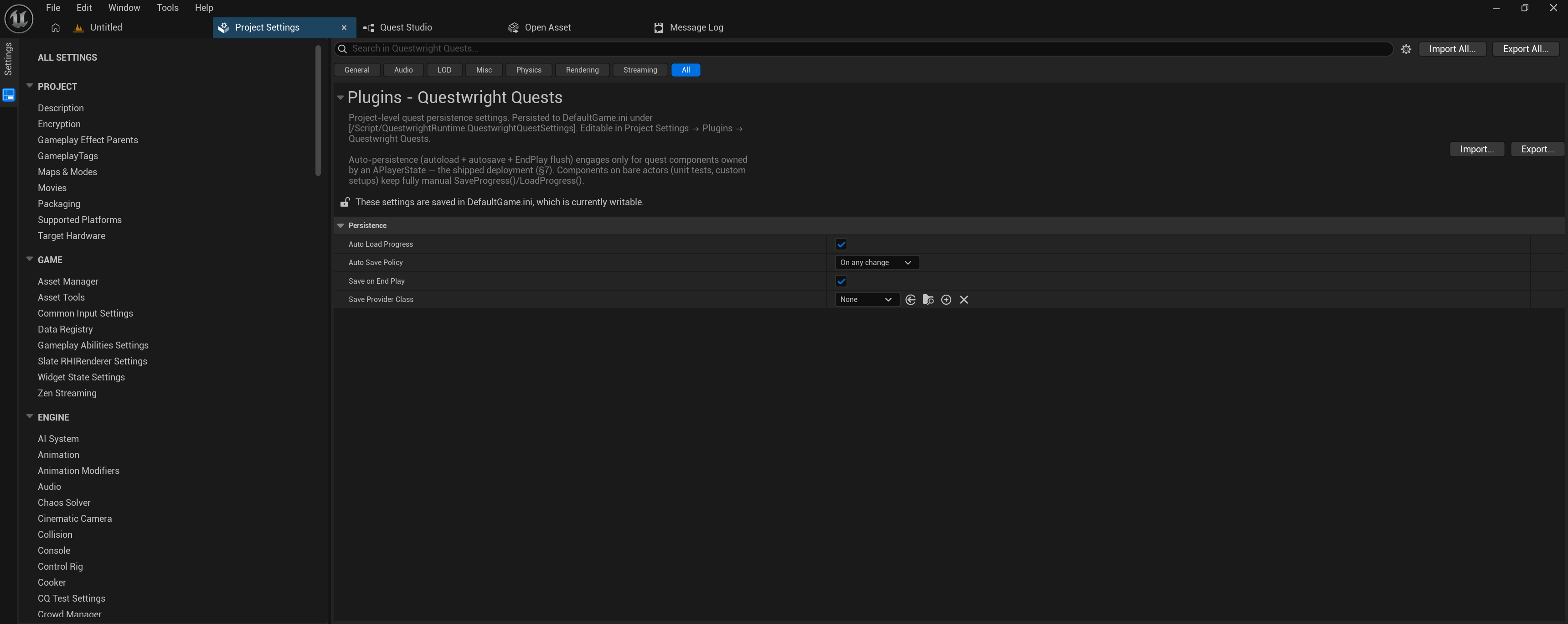
| Setting | Default | What it does |
|---|---|---|
Auto Load Progress (bAutoLoadProgress) | On | Loads stored progress when a player’s quest component starts (server-side). Also restores progress across map travel, where the PlayerState is recreated. |
Auto Save Policy (AutoSavePolicy) | On any change | When progress is autosaved. Manual means never (you call SaveProgress()); On quest state change saves on lifecycle transitions only (accept / complete / decline / fail); On any change also saves on step advances, objective credits and flags. Saves are coalesced: a burst of same-frame changes costs one write. |
Save On End Play (bSaveOnEndPlay) | On | A belt-and-braces flush when the component ends play (quit / travel / logout). Disable together with Manual for fully manual persistence. |
Save Provider Class (SaveProviderClass) | None | Storage backend (C++ class implementing IQuestwrightSaveProvider). None = the built-in USaveGame-slot provider. See Saving & multiplayer. |
Auto-persistence engages only for quest components owned by a PlayerState (the shipped deployment). Components on bare actors keep fully manual save/load.
Questwright Dialogue
Runtime dialogue pacing. Config section:
[/Script/QuestwrightRuntime.QuestwrightDialogueSettings].
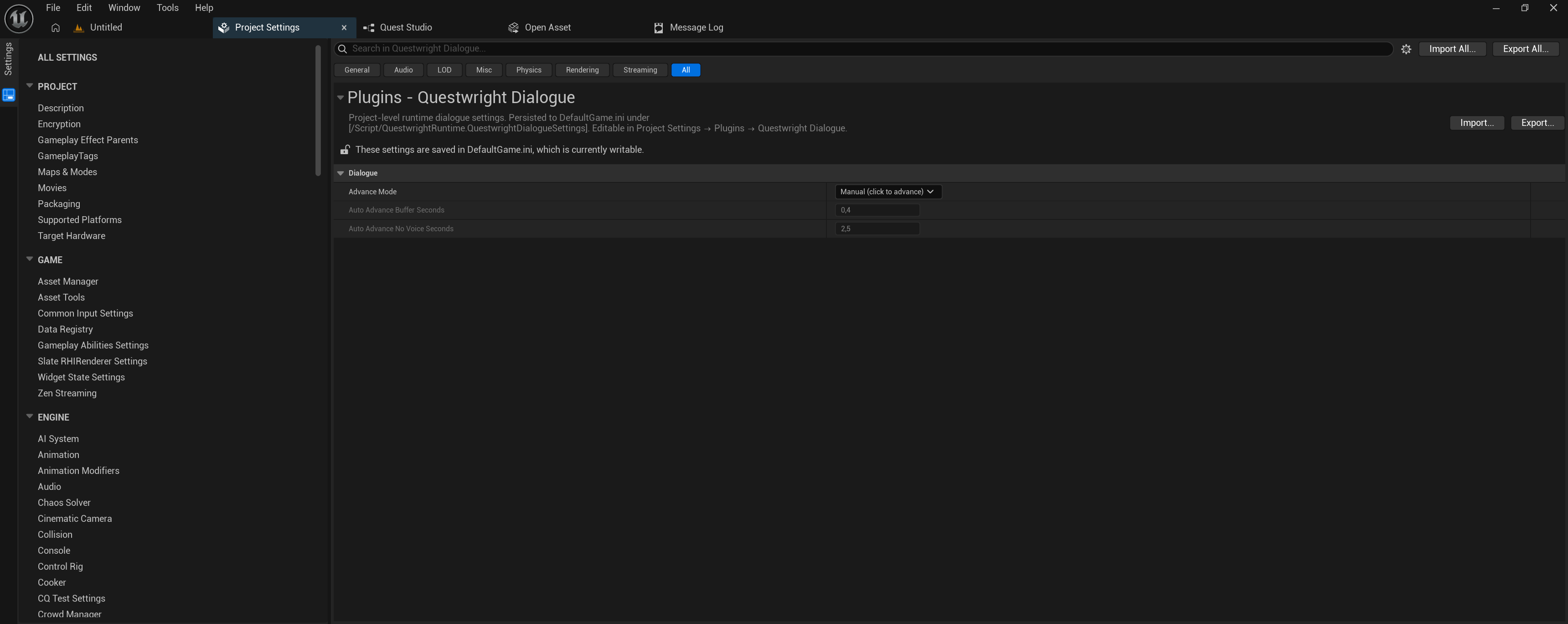
| Setting | Default | What it does |
|---|---|---|
Advance Mode (AdvanceMode) | Manual | How lines advance. Manual waits for a click after every line (reader-paced). Auto lets lines play and advance on their own after the voice-over; only choices wait for input (cinematic pacing). |
Auto Advance Buffer Seconds (AutoAdvanceBufferSeconds) | 0.4 | Auto mode: extra seconds held after a line’s voice-over before advancing, a small breath between lines. |
Auto Advance No Voice Seconds (AutoAdvanceNoVoiceSeconds) | 2.5 | Auto mode: how long a line with no voice-over stays on screen so the text is still readable. |
Both auto-mode values are only editable when Advance Mode is set to Auto.
Questwright Studio
Localization cultures and the per-culture voice configuration, normally edited through the
Localization and Voice tabs rather than by hand. Config section:
[/Script/QuestwrightStudio.QuestwrightStudioSettings].
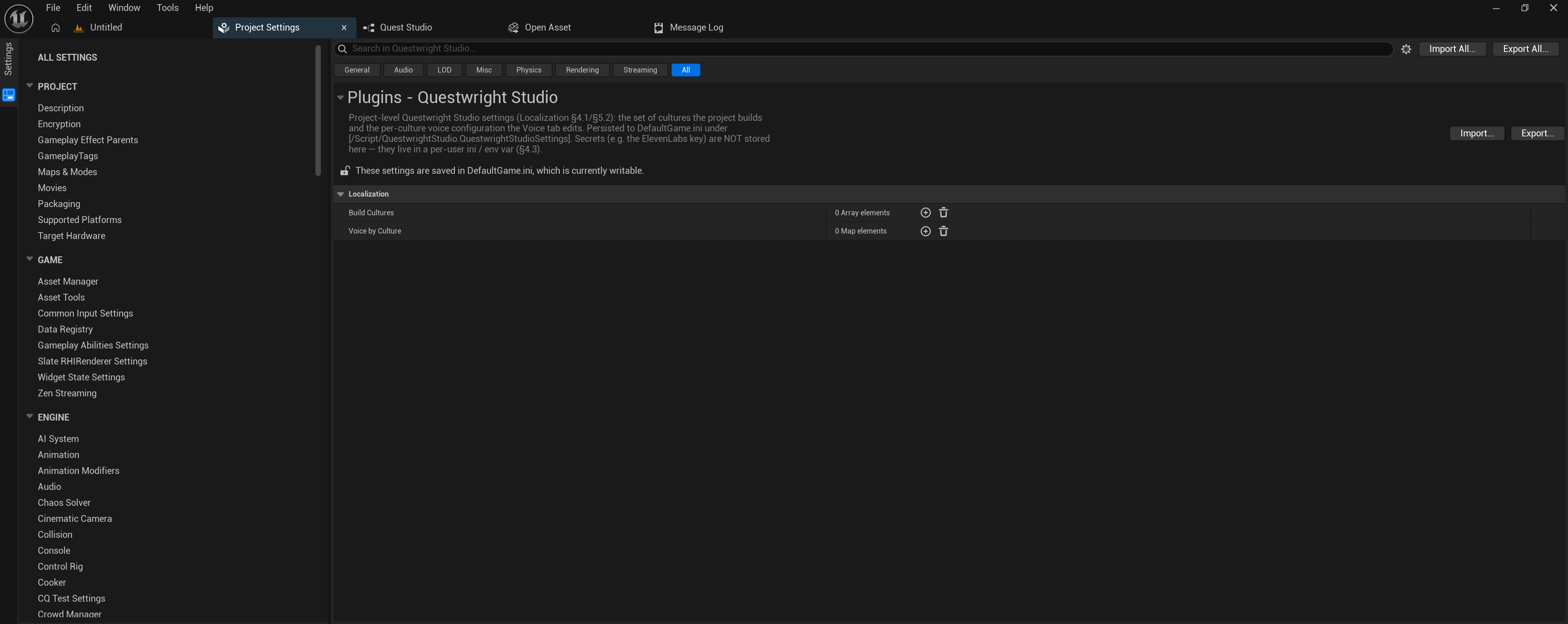
| Setting | What it does |
|---|---|
Build Cultures (BuildCultures) | The set of cultures the project builds (e.g. en, ru). The first entry is the source-culture fallback when a quest doesn’t declare its own source_culture. Empty = single-culture authoring. |
Voice By Culture (VoiceByCulture) | Per-culture voice configuration, keyed by culture code. Each entry holds the TTS Provider (e.g. OmniVoice, ElevenLabs), a provider Model, an Output format hint (e.g. wav_24000) and the per-speaker voice assignments (speaker key → provider voice id). |
What is not in Project Settings
| Value | Where it lives |
|---|---|
| ElevenLabs / Claude / OpenAI API keys | Per-user ini (git-ignored) + env fallback, e.g. QW_ELEVENLABS_KEY |
| Quest content, chains, priorities | The .quest.yaml files themselves; there is no hidden manifest |
| Generated assets | Your project’s /Game/Questwright/Generated/ folder |